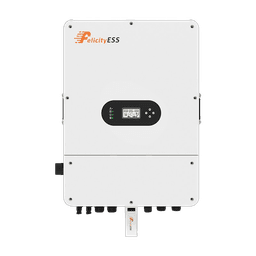
Felicity error codes · from the official manuals
Felicity error codes — what they mean and how to fix them.
Seeing a code on your Felicity inverter or battery? Search the code or pick your device — you'll get what it means, what caused it, and the fix, straight from the official manuals.
1,356codes
46devices
47manuals
Read the label
Find your device
Inverters
14 models · 627 codes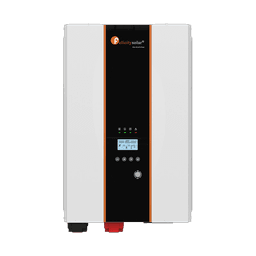
IVPS · IVPM
pure sine wave inverters2 models
IVEM
off-grid inverters3 models
IVGM
solar inverters1 model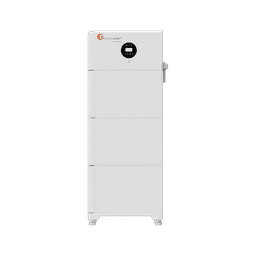
IVCM
inverter chargers1 modelE-CHO
compact inverters3 modelsBatteries
27 models · 503 codesLUX
lithium batteries50–280 Ah12 models
LPB
lithium batteries100–350 Ah7 models
FLA · FLS · FLB
solar batteries100–500 Ah8 modelsEverything else
5 models · 226 codes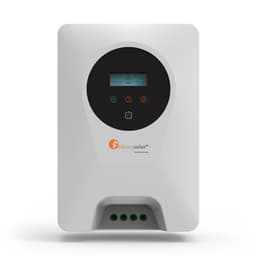
Charge controller
1 modelEnergy storage system
2 modelsEV charger
1 modelMicro-inverter
1 modelRead the screen
Most searched codes
The codes owners look up most often — tap yours to jump straight to the fix.
- 15FaultPV2 voltage is too high.Fault · also shown as F15
- 34FaultRadiator 1 over-temperature.Fault · also shown as F34
- 05FaultHigh PV voltage.Fault · also shown as F05
- 24FaultExcessive inverter current.Fault · also shown as F24
- 27FaultBattery over Current fault.Fault · also shown as F27
- 01WarningHigh Battery Voltage.Warning · also shown as F01
- 02WarningLow Battery Voltage.Warning · also shown as F02
- 03FaultPV charging overcurrent.Fault · also shown as F03
- 35FaultRadiator 2 over-temperature.Fault · also shown as F35
- 11FaultLow battery.Fault · also shown as F11
- 31FaultBus voltage too high.Fault · also shown as F31
- 10FaultOverload.Fault · also shown as F10
- 17FaultOverload protection.Fault · also shown as F17
- 06FaultPV relay voltage abnormal.Fault · also shown as F06
- 09FaultFan 2 locked.Fault · also shown as F09
- 19FaultOutput short circuit.Fault · also shown as F19
- 21FaultOP current sensor failed.Fault · also shown as F21
- 04FaultPV temperature is too high.Fault · also shown as F04
How to read the code on your screen
Solid red light = fault
The unit has cut its output to protect itself and the code stays on the display. Note the code before you switch anything off.
Flashing red light = warning
The unit keeps running while the buzzer beeps on and off. Deal with the cause soon — a warning left alone can become a fault.
F15 and 15 are the same code
Some models print an F before the number, others show the number alone. Type either form in the search — you land on the same page.
Still showing a code?Send us the code and your model number — a technician replies on WhatsApp. Support is free for the lifetime of your Felicity unit.
How Felicity error codes work
Most Felicity inverters report problems as a number on the LCD — some models print it plain (15), others with an F in front (F15). Both are the same code, and this database merges them onto one page. Batteries and BMS protection events use letter prefixes such as C-codes, and a few units report E-codes or named alarms. What matters most is the red light next to the code: solid red means a fault — the unit has cut its output to protect itself — while flashing red means a warning, and the unit keeps running while it asks you to fix the cause. On some models the same number exists as both a fault and a warning, so the light tells you which table you are in.
When to call a technician
Warnings are usually within reach of a careful owner: reduce the load, check the battery voltage on the screen, or let the unit cool, exactly as the fix on each code page describes. A fault that comes straight back after a full restart means the inverter has detected a hardware problem or an unsafe condition — do not keep power-cycling it. Note the code and your model number and send them to a technician; every code page here lists the source manual and page so the context travels with you. Always disconnect AC, DC, and the battery before opening any enclosure.
Common questions about Felicity error codes
These are the questions owners and installers ask most often when a code appears on the screen.
- What does error 15 mean on a Felicity inverter?
- It depends on the model, which is why the code 15 page lists every affected device separately. On the IVPS and IVPM families, code 15 is an output short-circuit fault: the unit cuts its output and the red light stays solid — disconnect the AC output wiring, restart, and inspect the wiring and loads before reconnecting. On T-REX hybrids the same number reports a current-sensor fault, and IVEM models use F15 for abnormal PV power. Find your model on the code page for the exact cause and fix.
- What is the difference between a fault and a warning on Felicity equipment?
- A fault switches the output off: the red LED stays solid, the code stays on the display, and the buzzer sounds continuously until the fault is cleared. A warning leaves the unit running: the red LED flashes, the code flashes on the LCD, and the buzzer beeps on and off. Some models use the same number in both tables, so check the light before you look the code up.
- My screen shows F15 but this site says 15 — is that the same code?
- Yes. Felicity models differ only in how they print the number — some show F15, others just 15. This database treats them as one code and its page lists every device that reports it, in either notation, with the meaning for each model.
- Are these the same codes as in the official Felicity manuals?
- Yes. Every entry is compiled from 47 official Felicity Solar user manuals, and each code shows the source manual filename and page number so you — or your technician — can check the original context in seconds.
- My model is not listed — what should I do?
- The database currently covers 46 Felicity devices across inverters, batteries, energy storage, charge controllers, and EV charging. Many models are documented as variants of a sibling unit, so check the "also covers" line on the closest device page first. Still nothing? Message us on WhatsApp with your model number and the code on the screen — support is free and we add new manuals as they are released.
Compiled from official Felicity user manuals. Always consult your device manual and a qualified technician before performing repairs.