Felicity battery not charging? Below 0°C the BMS blocks the charge, a charge voltage under 57.6 V never fills the pack, and codes C01–C08 explain the rest.
Your Felicity battery has been "charging" all afternoon and the percentage has not moved. Or the pack never gets past 90%. Or there is a red light on the front and nothing goes in or out. Before deciding your 100Ah or 200Ah pack has failed, work through this guide — on lithium batteries, most "not charging" cases are the BMS doing its job, and the official Felicity manuals document exactly when it refuses to charge and why.
In a hurry? If the battery display or app shows a code such as C01 or C05, type it into the Felicity error-code lookup — every battery code with the official cause and recommended fix, model by model.
Products mentioned in this article
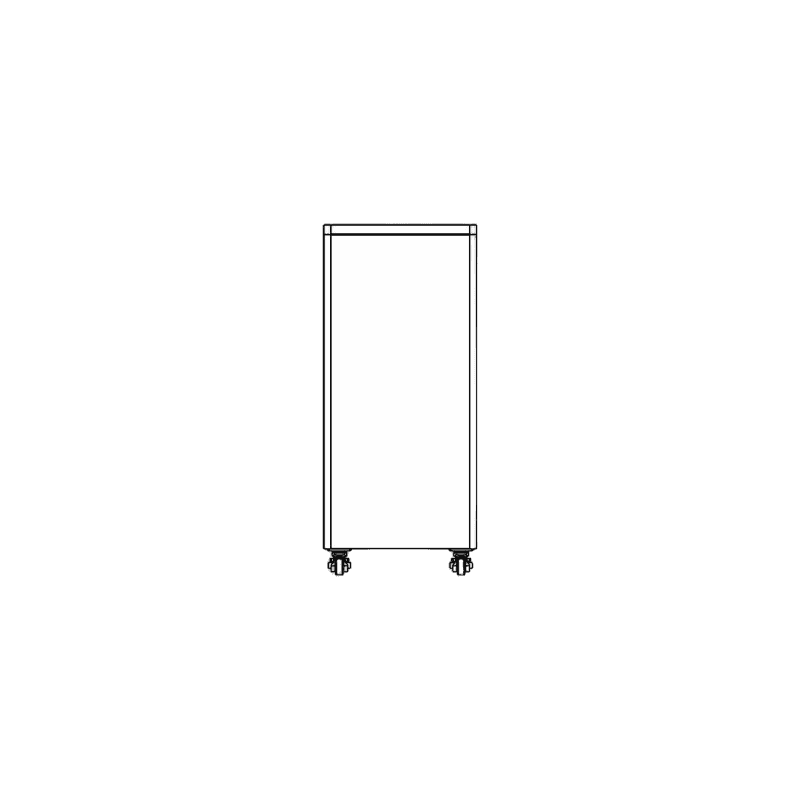
Felicity Solar FLB48314TG1 51.2V 16kWh LiFePO4 Battery
- Nominal Energy:16 kWh
- Nominal Capacity:314 Ah

Felicity Solar FLA12100 12.8V 1.28kWh LiFePO4 Battery
- Nominal Energy:1.28 kWh
- Nominal Capacity:100 Ah

Felicity Solar FLA48200 51.2V 10kWh LiFePO4 Battery
- Nominal Energy:10 kWh
- Nominal Capacity:200 Ah
Felicity Solar FLA48250 51.2V 12.5kWh LiFePO4 Battery
- Nominal Energy:12.5 kWh
- Nominal Capacity:250 Ah

Felicity Solar LPBF48200-H 51.2V 10kWh LiFePO4 Battery
- Battery Type:LiFePO4
- Nominal Energy:10kWh
First: is it protection, not a fault?
A LiFePO4 pack stops charging on purpose in two very common situations, and neither one is broken hardware.
It is too cold to charge
Felicity lithium batteries charge between 0°C and +55°C. Below zero, the BMS blocks the charge current to protect the cells — the FLB48314TG1 manual lists this under "battery indicates charging but SOC does not change": the inverter reports a charge, but nothing actually flows into the pack. Discharging is still allowed down to −20°C, which is why the battery keeps powering your loads while refusing to charge — a combination that looks exactly like a fault and isn't. The fix is environmental: move the pack into the 0–55°C charging range (an indoor or insulated location) and charging resumes on its own.
The charge voltage is set too low
If the charging voltage on the inverter is set below the recommended 57.6 V (Felicity specifies 57.6 V as both the maximum and the float charging voltage for its 48 V packs), charging tapers off before the battery is actually full — the manuals list this as the cause of "battery does not fully charge". Open the inverter's battery settings and set the charge and float voltage to the value in your battery manual before suspecting the pack itself.
A red light means a protection state
On Felicity rack and wall batteries, a red LED means the BMS has tripped a protection — voltage, current, or temperature — and the LED1–LED4 pattern beside it identifies which one. Look the pattern up on your battery's page in the error-code directory before power-cycling anything: the pattern tells you whether to change a setting, warm or cool the pack, or call for service.
The C-codes that stop charging
Felicity lithium batteries report protection trips as C-codes. The FLA, LUX and LPBF families share the table; on the FLB48314TG1 the charge-side code you will meet is C05. Five of these codes are the ones that interrupt charging — each chip links to the full code page with every model's exact wording:
| Code | Meaning | What to do |
|---|---|---|
| C01 | Battery overvoltage — the total pack voltage exceeded its upper limit during charging, so the BMS stopped the charge; the protection releases once the voltage returns to range | Check the inverter's charge-voltage setting, restart the unit; if C01 persists, contact service |
| C03 | Cell overvoltage — one individual cell reached its protection value, typically from cell imbalance letting a single cell run ahead of the pack | Restart the unit; a C03 that keeps returning needs service |
| C05 | Charge overcurrent — the charging current stayed above the BMS trigger value for 15 seconds, usually because the inverter's charge-current setting is higher than the battery's recommended value; in fault mode the battery disables both charging and discharging | Power down the inverter, wait 5 minutes, restart — and lower the charge-current setting |
| C07 | MOS overtemperature — the BMS power stage is too hot: internal temperature over the limit or ambient temperature too high | Check the ambient temperature and ventilation around the pack |
| C08 | MOS undertemperature — the cold-weather twin: MOSFET temperature below the working range because the location is too cold | Check whether the ambient temperature is too low; warm the installation |
Battery shows charging but the percentage is stuck
Two documented causes — and only one of them involves the charge itself. If the location is cold, it is the 0°C charge block described above. If the temperature is fine and the charge voltage is set right, the suspect is the display: the SOC gauge needs calibration.
Per the Felicity manuals, the state-of-charge reading calibrates automatically after one full discharge–charge cycle: discharge the battery to 0%, then charge it to 100%. Felicity also recommends fully charging the battery at least once a month to keep the reading accurate. So if your pack has been cycling in the middle band for months and the percentage looks frozen or implausible, run the calibration cycle before assuming a fault.
Which Felicity battery do you have?
Owners talk in amp-hours; the code tables are per model. Match the Ah rating on your battery's label to its family and open the device page for the full official code list:
| Family | Capacity models | Code page |
|---|---|---|
| FLA wall & rack batteries | FLA12100 wall-mount battery · 48 V 200Ah, 10 kWh (FLA48200) · 48 V 250Ah (FLA48250) | FLA48200 · FLA12100 · FLA48250 |
| FLB stackable tower | 48 V 314Ah (FLB48314TG1) — has its own troubleshooting table and LED patterns | FLB48314TG1 |
| LUX lithium batteries | 48 V 100Ah (LUX-X-48100LG01; the page also covers the LCG01/LMG01 variants) | LUX-X-48100LG01 |
| LPB batteries | 48 V 200Ah (LPBF48200-H; the same page covers the 100Ah LPBF48100-H) | LPBF48200-H |
A different model on your label? The directory has one page per device across the whole Felicity battery range.
Left flat for days? Act now
One battery-saving detail from the FLB48314TG1 manual: after a full discharge or an over-discharge protection trip, the pack drops into a low-power state — green LED flashing, all SOC LEDs off — and it must be recharged within 18 hours. A pack left flat beyond that window may not re-activate for charging at all. So if your battery ran flat during an outage, do not leave it for the weekend: reconnect a charge source immediately. If the battery no longer wakes up or refuses to accept any charge, stop there — that is a job for a technician, not for repeated power cycling.
For after-sales help, our contact page lists our phone and email.
Frequently Asked Questions
Why is my Felicity 200Ah battery not charging?
Can I charge my Felicity battery below zero?
Why does my Felicity battery stop at 90% and never reach 100%?
My battery shows charging but the percentage never moves — is it broken?
What does the red light on my Felicity battery mean?
What does C05 mean on a Felicity battery?
Ready to order?
Every unit in the catalogue carries its price — add it to the cart and order online, delivered within 3 business days.
Error codes in this article
Each code links to its full page: what it means on every model, the cause, and the fix from the official manual.
- C01FaultBattery overvoltage.
- C03FaultCell overvoltage.
- C05FaultCharge overcurrent.
- C07FaultMOS overtemperature.
- C08FaultMOS undertemperature.